Review Comments (3) Screenshots (17) Questions & Answers (0) Votes (81) Awards (9) Wiki  
-Please log in to rate
4.7 4.7/5 (81)
-Sun Microsystems, Inc.
-3.0.12
-www.virtualbox.org
-Freeware
- 14 099 people
Download VirtualBox

67.9 MBDownloaded 934 times


Review

VirtualBox is an Open Source virtual-machine application that enables users of a specific operating system to run software not designed for that platform. It runs on Mac OS X, Windows, Linux, and some other platforms, maintaining a virtual instance of the host operating system within itself. It obtains access to certain hardware resources and features, being more like a guest using the host's resources, thus executing applications in a safe environment; or, by means of certain modules, even running programs made for other systems.

VirtualBox is actually the only free application of such kind users may find; and it performs really excellent because it has been developed by Sun MicroSystems. This is the perfect solution, even better than having two or more OS on a single machine: because there is no need for rebooting. Even greater is the fact that you can use this to run 64-bit applications in 32-bit systems.

As an improvement in this version, there is now full support in case a crash should occur: you can easily switch back to a previous restore point and avoid the need of frequent backups. A virtual SATA controller has also been integrated, for the whole virtual machine to operate faster.

VirtualBox supports Intel's hardware virtualization, VT-x, and AMD's AMD-V. It supports USB 1.1 and USB 2.0 devices; has its own SATA controller that works faster and consumes less CPU resources than a virtual IDE controller, allowing to connect more than three virtual hard disks to the machine. Other features include Remote Desktop Protocol (RDP), Microsoft VHD support, and virtual drive mounting.
Advantages
  • For Windows, Linux, Macintosh and OpenSolaris.
  • Runs 64 bit applications.
  • SATA support.
  • Microsoft VHD support.
  • Snapshots.
  • Free.
Disadvantages
  • None.

Reviewed by: Raul Iniguez

Reviewer rating: Editor's rating 5

Screenshots

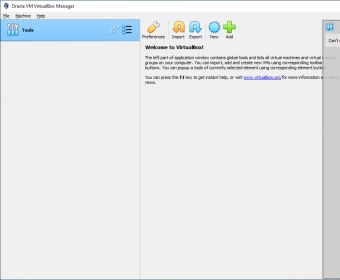
Installation Installation New Virtual Machine New Virtual Machine Finished setting up Finished setting up Virtual Machine running Virtual Machine running
All 17 screenshots

Latest comments

Sean(beginner) 19 days ago 
Perfect for those who want to snoop around a Linux distribution and are afraid to dual-boot.
Guest #261951(beginner) Last year 
Great virtualization program, free and very complete.
Can emulate every OS, including USB and shared network directory.
Guest #188068(beginner) Last year 
Excellent PC virtualisation software. Open source edition available under GPL license, also a commercial version available same as open source version but with RDP support to connect to remote virtual machines (including USB connectivity). This version is also free for personal and educational use, personal use includes personal commercial use, with just one person (yourself) using it at a time, if you will have multiple users connecting to virtual machines, either use the open source edition or if you want the commercial version, contact the owners to purchase a license. VirtualBox was owned by Innotek, February 2008 it was bought by Sun Microsystems, who are also supportive of open source software (check out open office). VirtualBox has support for many guest and host operating systems, including many versions of Windows, Linux, Mac etc and Suns own Solaris OS. Support includes some Windows and Linux 64bit versions and PAE support (in guest OS, needed for Ubuntu Server). All you need is spare hard disk space for each VM you create and spare memory for the currently running VM's. 2GB RAM and 100GB HDD will give you loads of possible configurations. Even just 256MB RAM and 10GB HDD is enough for Windows98 (with 64MB virtual RAM, 1GB virtual HDD) running as a guest VM on a Windows XP host, you could probably run a few very small (forget big ones like Ubuntu) Linux OS's too. The virtual machines are well contained, great for web browsing or trying out new software without risking your guest OS. Brilliant, give it a try.
Add new comment All 3 comments
Tag cloud
Download siClient

Email Address:

Password:

Register now »

Forgot password?

Copyright © 2009, Informer Technologies, Inc. About| Privacy and terms| Help| Feedback